

Satellite receiver specifications can look like alphabet soup: DVB-S2, 4K, H.265, PVR, dual-band Wi-Fi, and Multi-Stream. Of these, “Multi-Stream” is one of the most useful—and most misunderstood—features for viewers who scan more than the usual direct-to-home transponders.
In simple terms, a Multi-Stream satellite receiver can identify and tune separate input streams carried within a compatible DVB-S2 satellite signal. That can make additional services discoverable when a broadcaster or distribution network uses several streams on one satellite carrier. It does not create paid channels, bypass encryption, improve a badly aligned dish, or guarantee that every regional feed will be available at your location.
This guide explains what Multi-Stream means, when it matters in the UAE and surrounding regions, and what to check before buying a modern 4K receiver such as the StarSat SR-265V4K.
What does Multi-Stream mean in satellite TV?
Traditional consumer satellite reception often treats a transponder as a single transport stream containing a group of TV and radio services. DVB-S2 also permits multiple input streams. Each stream can be identified by an Input Stream Identifier, commonly shortened to ISI.
The official ETSI implementation guidance explains that multiple streams may be multiplexed at the transmitter and that each stream is identified by a specific ISI. In practical receiver language, Multi-Stream support means the tuner and software know how to select those separate streams during a compatible scan.

This feature is mainly relevant to technically curious viewers, satellite hobbyists, installers, and households that want broader free-to-air scanning options. It is less important if you only watch a conventional pay-TV package through the operator’s supplied box.
Why the feature is timely in 2026
Satellite distribution continues to evolve alongside IP delivery. DVB’s June 2026 work covers newer satellite uses, including DVB-S2X performance for non-geostationary systems, while ETSI standards continue to support multiple input stream mechanisms in broadcast and data applications. Eutelsat has also demonstrated hybrid satellite and IP delivery for next-generation direct-to-home experiences.
For a home buyer, the lesson is not that every new standard is interchangeable. It is that receiver compatibility matters more as broadcasters use different transmission and distribution methods. A Multi-Stream-capable DVB-S2 receiver is a practical way to keep more scanning options open, but it should be evaluated together with codec, resolution, connectivity, and software support.
Multi-Stream is not the same as DVB-S2X
This distinction prevents one of the most common buying mistakes.
- Multi-Stream describes the ability to work with multiple input streams and select the appropriate ISI where a compatible signal uses them.
- DVB-S2 is the second-generation satellite transmission standard used for many broadcast and broadband services.
- DVB-S2X extends DVB-S2 with additional modulation, coding, filtering, and signaling capabilities.
A product may advertise DVB-S2 and Multi-Stream support without claiming full DVB-S2X compatibility. Do not assume one label automatically includes the other. Match the receiver’s published tuner specification to the broadcasts you actually want to receive.
When is a Multi-Stream receiver useful in the UAE?
You scan free-to-air services across several satellites
The UAE’s location gives enthusiasts access to a broad arc of satellites when the dish size, LNB, line of sight, and installation are suitable. Some distribution feeds in the wider Middle East, Europe, and Africa use formats that require more capable receivers than a basic HD box. Multi-Stream support may expose compatible streams that a conventional receiver cannot list.
Reception still depends on footprint coverage. Before buying equipment for one specific service, verify the satellite position, beam coverage, symbol rate, polarization, dish requirement, and whether the service is encrypted.
You are replacing an older HD receiver
A modern 4K receiver can combine Multi-Stream reception with H.265/HEVC decoding, HDMI output, network connectivity, media playback, electronic program guide functions, and USB recording. Even if your television is not being replaced today, choosing a capable receiver can reduce the need for another quick upgrade.
You install or maintain satellite systems
Installers benefit from hardware that can test a wider variety of legitimate free-to-air signals. A compatible receiver can help confirm whether an apparent “missing channel” problem is caused by stream compatibility rather than only signal strength. A proper satellite finder remains the better tool for dish alignment.
What Multi-Stream does not do
Multi-Stream is valuable, but it is not a universal solution.
It does not decrypt subscription channels, grant access to copyrighted services, or replace a valid subscription. It will not overcome a satellite footprint that does not cover your location. It also cannot repair poor coaxial cable, a damaged LNB, incorrect DiSEqC settings, or a dish blocked by a building.
If channels break up during wind or rain, start with the physical installation. Check connectors, cable condition, dish alignment, and LNB stability before blaming the receiver.
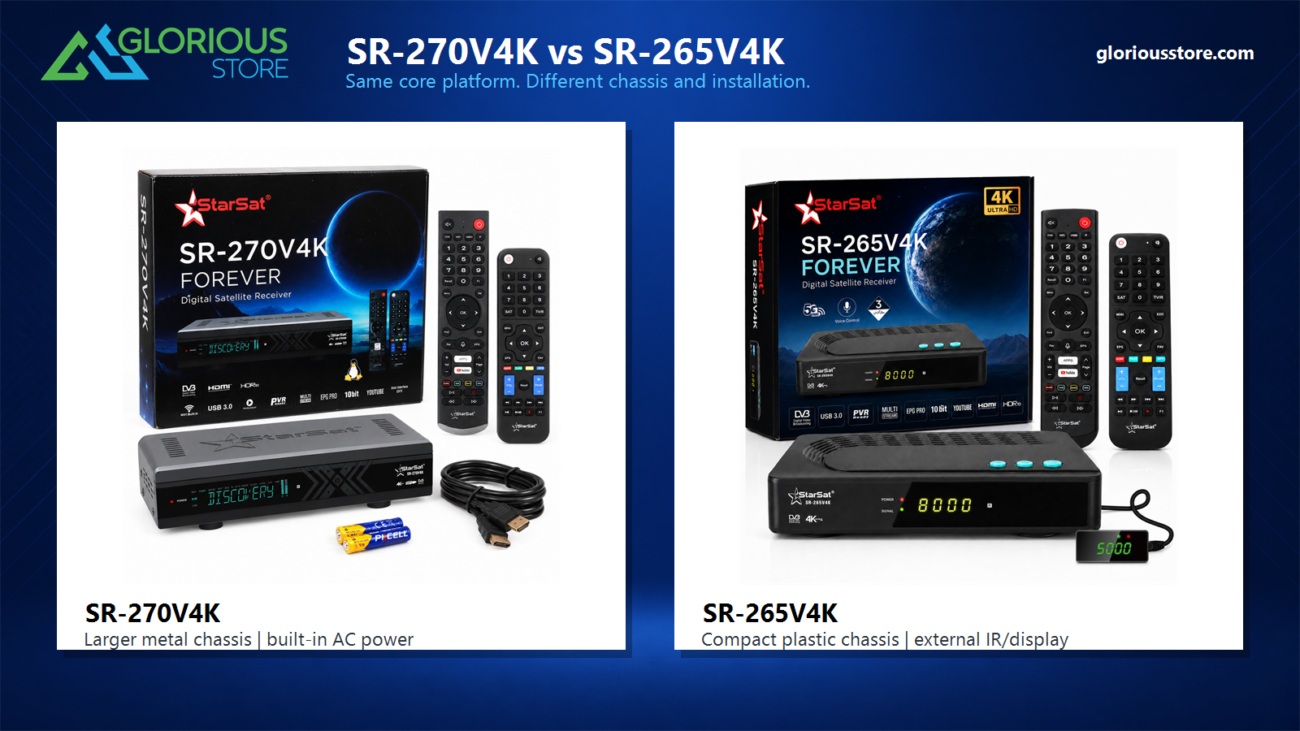
A current receiver to consider: StarSat SR-265V4K
At the time of this review, Glorious Store lists the StarSat SR-265V4K as a current product with 18 units in stock. Its published specifications include:
- 4K UHD output and 10-bit video processing
- DVB-S2 reception with Multi-Stream support
- Linux-based receiver software
- Built-in 2.4 GHz and 5 GHz dual-band Wi-Fi
- USB 3.0 connectivity and PVR recording
- Online software updates
- Two remote controls, including voice-control functionality
These features make it a more current recommendation than older or sold-out models. Stock can change, so confirm availability on the SR-265V4K product page before ordering.
The receiver is intended for legitimate satellite and media use. Channel availability depends on your dish system, location, broadcasts, subscriptions, and local rules.
Multi-Stream receiver buying checklist

1. Confirm the exact broadcast requirements
Write down the satellite position and transmission parameters for the services you want. Check whether they require DVB-S2, Multi-Stream/ISI selection, a specific codec, or DVB-S2X. This is more reliable than choosing a box only because its product name contains “4K.”
2. Check video codec support
Resolution and codec are different specifications. A 4K television does not guarantee that a receiver can decode every modern feed. H.265/HEVC support is useful for efficiently delivered HD and UHD content, while older services may use MPEG-2 or H.264.
3. Match the receiver to your network
Dual-band Wi-Fi can be useful when the router is nearby and the 5 GHz band is clear. Ethernet, when available, is often preferable for a fixed installation. Internet connectivity does not replace the satellite feed; it supports receiver updates and legitimate online functions provided by the device.
4. Consider recording and storage
If you plan to use PVR features, check the supported USB storage format, capacity, and recording limitations. Broadcasters or protected services may restrict recording. Use reliable storage and safely stop recordings before disconnecting a drive.
5. Review the rest of the signal chain
The receiver is only one part of the system. Use suitable LNBs, quality coaxial cable, secure connectors, and the correct DiSEqC switch for a multi-dish or multi-LNB installation. Browse the current satellite receiver category to compare available options.
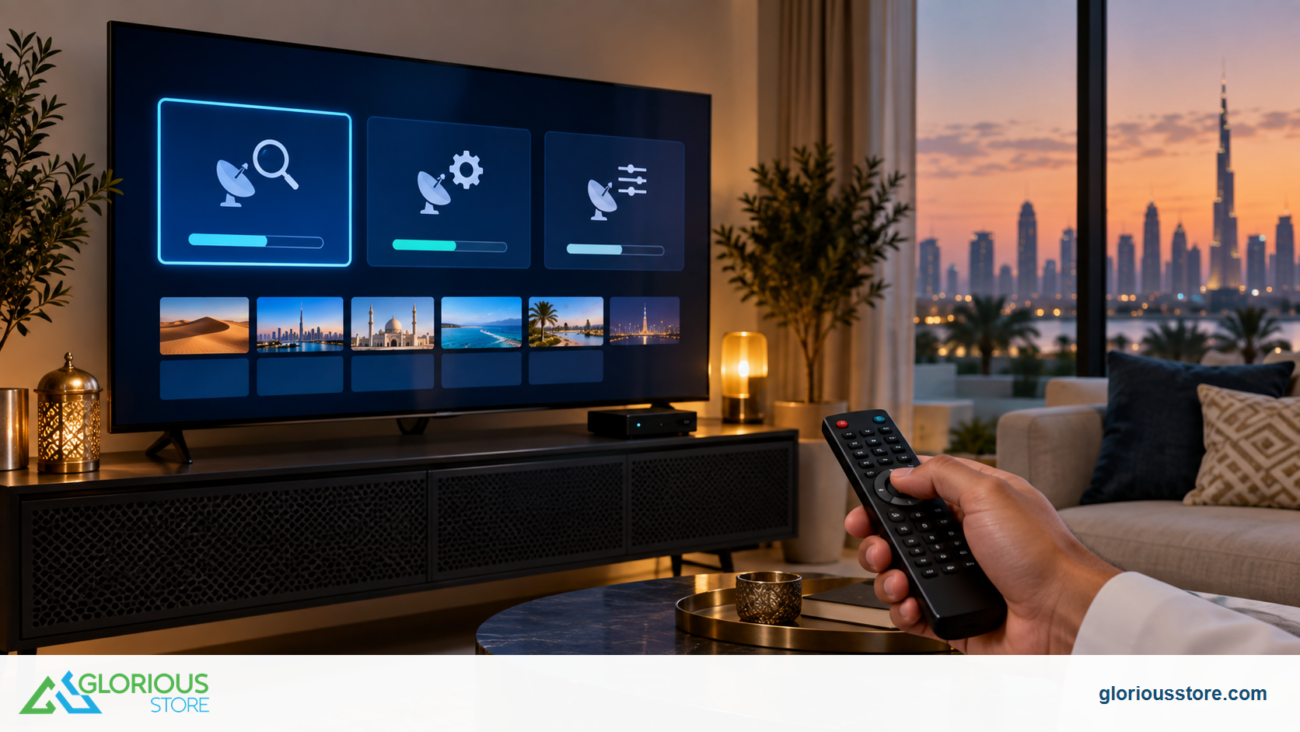
How to scan Multi-Stream services
Menu names vary by model and software version, but the basic process is similar:
- Install the dish and LNB for the intended satellite and verify a stable signal.
- Select the correct satellite, LNB type, DiSEqC port, polarization, frequency, and symbol rate.
- Use a blind scan or enter the transponder manually.
- If the receiver exposes an ISI or stream field, select the published value or use its automatic option.
- Save only services you are authorized to receive, then test picture and audio stability.
Keep receiver software current using the manufacturer’s supported update method. Do not install unknown firmware simply because it promises extra channels; incompatible software can make a receiver unstable or unusable.
Final recommendation
A Multi-Stream satellite receiver is a sensible choice for UAE buyers who want wider legitimate free-to-air scanning capability and a more flexible setup. The feature is most valuable when you know that your target broadcasts use multiple input streams. For everyday viewing, picture decoding, reliable software, network options, recording support, and a sound dish installation remain just as important.
The current StarSat SR-265V4K brings these features together in a 4K Linux-based receiver and is the Glorious Store model to review first while stock remains available. Compare its exact specifications with your satellite and channel requirements before purchasing.
Frequently asked questions
Does Multi-Stream give me more channels automatically?
Not automatically. It allows a receiver to detect compatible streams that a basic receiver may miss. Available services still depend on satellite coverage, your dish installation, scan settings, encryption, and broadcasting rights.
Is Multi-Stream the same as multichannel viewing?
No. Multi-Stream refers to the transmission and selection of multiple input streams. It does not necessarily mean that the receiver can display several live channels at once.
Do I need internet for Multi-Stream satellite reception?
No. The satellite signal comes through the dish. Internet access may be used for software updates and supported online features, but it is not what makes Multi-Stream reception work.
Will a Multi-Stream receiver work with any satellite dish?
The receiver can connect to a standard compatible dish system, but reception depends on dish size, alignment, LNB type, cabling, satellite footprint, and scan settings.
Does the StarSat SR-265V4K support Multi-Stream?
Yes. Glorious Store’s current product listing states DVB-S2 reception with Multi-Stream support. Buyers should still verify the exact broadcast parameters they need and confirm current stock before ordering.
Can Multi-Stream open encrypted channels?
No. It does not bypass encryption or subscriptions. Use authorized services and valid subscriptions where required.




Leave a comment